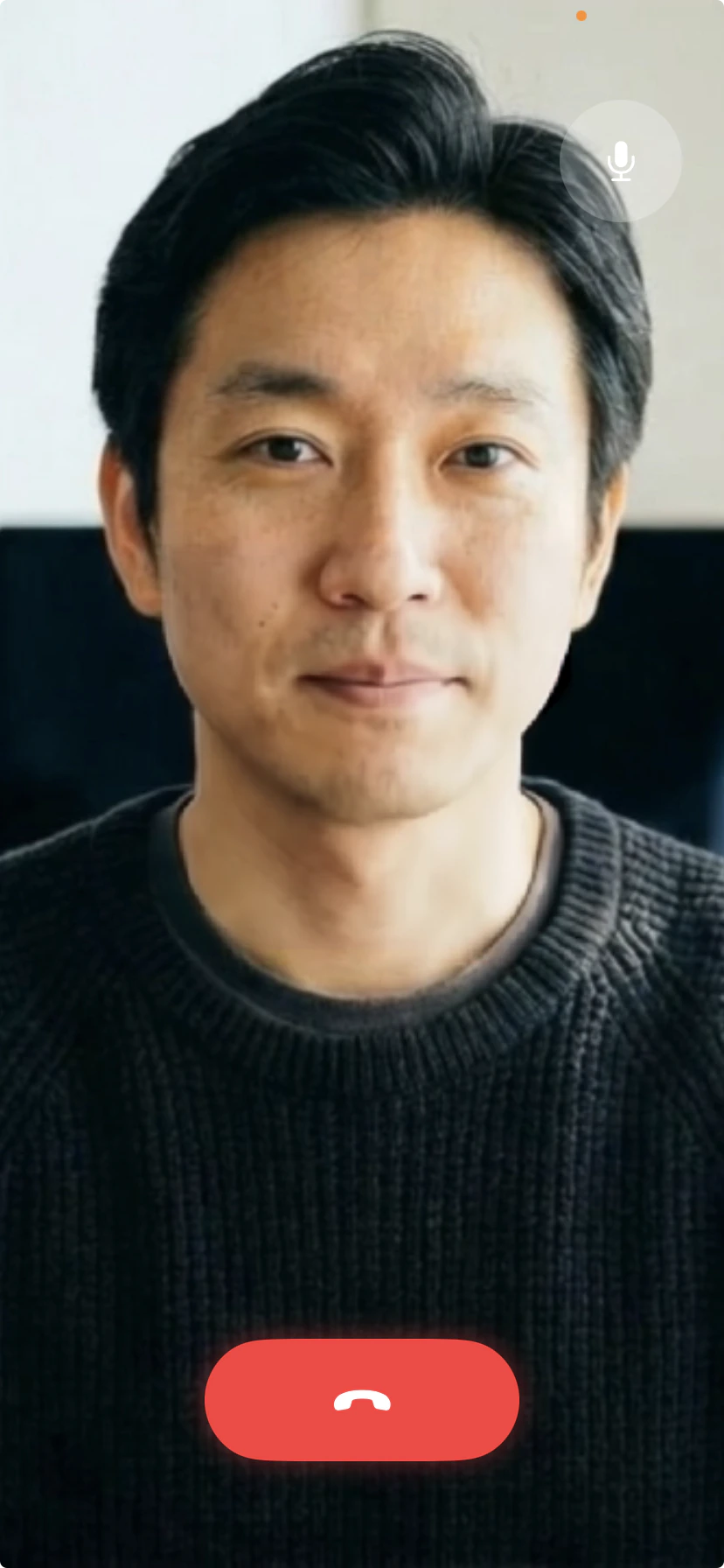
Run Equos characters natively on iPhone and iPad with on-device rendering.
The Equos iOS SDK brings the full character experience to native iOS apps, with rendering running directly on the device for real-time performance at any scale.
It runs smoothly on consumer hardware going back to the iPhone 11, and can be used either with the full Equos voice pipeline or paired with your own audio stack.
Drop-in simple. A single component handles video rendering, audio capture, and session lifecycle—no WebRTC wiring, no custom track management, no boilerplate. Your app starts a conversation in a few lines of Swift.
Lowest possible latency. Because video is rendered directly on the phone, there’s no cloud round-trip for every frame. Responses feel instant, even on cellular networks—and entirely network-free when paired with your own on-device audio stack.
Connect to the Equos voice agent and get the full experience: character video, audio, and conversational AI—the same flow as the Web and Next.js integrations.
Video rendering only
Use the SDK purely for on-device character rendering and plug in your own voice pipeline. No network required for video—and no per-minute cost.
Ideal if you want the fastest path to a complete character experience on mobile.Unlike the web integration, you do not create a conversation up front. Instead:
Your backend generates a short-lived consumer access token by calling the dedicated Equos API endpoint.
Your app passes the token to the iOS SDK.
The SDK starts the conversation directly—audio, video, and AI all managed by Equos.
This removes a round-trip: there’s no “create conversation, then join” dance. The token alone is enough for the SDK to stand up the live session.
Ideal if you already run your own voice stack (STT/LLM/TTS, or a real-time audio model) and only need a high-quality animated face.In this mode, no token, no backend call, no network required. The iOS SDK renders the character on-device from your audio stream the moment you start it—no Equos network calls, no per-user cost, unlimited usage.This is what makes Equos unique: our rendering model runs in real time on consumer iPhones (including iPhone 11), which means you can ship an animated AI character to millions of users without provisioning a single GPU.
Learn more about on-device rendering
How Equos scales to millions of users by running on the device itself.
The iOS SDK is currently private. We work directly with teams to integrate it into their apps.
Request a demo
Get in touch for a walkthrough, early access, and integration support.
{"docsConfig":{"theme":"mint","$schema":"https://mintlify.com/docs.json","name":"Equos Doc","colors":{"primary":"#0055FE","light":"#60ADFF","dark":"#041133"},"logo":{"light":"https://mintcdn.com/equos/miMDl3Al0ju5m4qh/logo/light.svg?fit=max\u0026auto=format\u0026n=miMDl3Al0ju5m4qh\u0026q=85\u0026s=e40480e27739ba4da5e934af31ace574","dark":"https://mintcdn.com/equos/miMDl3Al0ju5m4qh/logo/dark.svg?fit=max\u0026auto=format\u0026n=miMDl3Al0ju5m4qh\u0026q=85\u0026s=8b07311ba416d97dbc6e81ab33f90e02"},"favicon":"https://mintcdn.com/equos/4otJw5XojccDaWsR/images/favicon.png?fit=max\u0026auto=format\u0026n=4otJw5XojccDaWsR\u0026q=85\u0026s=210d944b45d3e27b7f63c48cf155bbd3","navbar":{"links":[{"href":"https://docs.google.com/forms/d/e/1FAIpQLSdoK7LvORdQf7KOQKvhhlESStJcKc3bDB9HPsEet6LuOmVUfQ/viewform","label":"Support"}],"primary":{"type":"button","label":"Studio","href":"https://studio.equos.ai"}},"footer":{"socials":{"github":"https://github.com/EquosAI","linkedin":"https://www.linkedin.com/company/equos-ai"}},"contextual":{"options":["copy","view","chatgpt","claude","perplexity","mcp","cursor","vscode"],"display":"header"},"styling":{"latex":false},"navigation":{"global":{"anchors":[{"anchor":"GitHub","icon":"github","href":"https://github.com/EquosAI"},{"anchor":"Community","icon":"slack","href":"https://join.slack.com/t/equosaicommunity/shared_invite/zt-3d8oy19au-jZpsJB0i~gdL0jbDswdzzQ"},{"anchor":"Blog","icon":"newspaper","href":"https://equos.ai/blog"}]},"pages":[]}},"deployment":{"deploymentMetadataValue":{"subdomain":"equos","hasAudioNarration":false,"actualSubdomain":"equos","customDomains":["docs.equos.ai"],"gitSource":{"type":"github","owner":"equosai","repo":"equos-docs","deployBranch":"main","contentDirectory":"","isPrivate":true,"mountPath":"","label":""},"chroma":{"liveDeploymentHistoryId":"6a21f6622af1650193593426","collectionId":"fc648c56-3205-4a80-bd70-10eb571e1f26","schemaVersion":"v2"},"entitlements":{},"buildId":"6a21f6622af1650193593426:success","clientVersion":"0.0.3908","searchFilterCounts":[{"language":"default","tag":"API reference","count":34},{"language":"default","tag":"Guides","count":16},{"language":"default","tag":"KnowledgeBase","count":7},{"language":"default","tag":"SDKs","count":5},{"language":"default","tag":"Brain","count":5},{"language":"default","tag":"Character","count":5},{"language":"default","tag":"Voice","count":5},{"language":"default","tag":"Getting started","count":4},{"language":"default","tag":"Integration","count":4},{"language":"default","tag":"Conversation","count":4}]},"assistantConfig":{},"hasChatPermissions":false,"hasWebMcpPermissions":false,"toggles":[{"name":"kill-isr","enabled":true,"variant":{"name":"disabled","enabled":false,"feature_enabled":true},"impressionData":false},{"name":"agent-mintlify-slack","enabled":true,"variant":{"name":"disabled","enabled":false,"feature_enabled":true},"impressionData":false},{"name":"editor-v7-file-tree","enabled":true,"variant":{"name":"disabled","enabled":false,"feature_enabled":true},"impressionData":false},{"name":"agent-integrations-settings","enabled":true,"variant":{"name":"disabled","enabled":false,"feature_enabled":true},"impressionData":false},{"name":"automations-pr-grouping","enabled":true,"variant":{"name":"disabled","enabled":false,"feature_enabled":true},"impressionData":false},{"name":"custom-prefix","enabled":true,"variant":{"name":"disabled","enabled":false,"feature_enabled":true},"impressionData":false},{"name":"analytics-v7","enabled":true,"variant":{"name":"disabled","enabled":false,"feature_enabled":true},"impressionData":false},{"name":"user-flows-analytics","enabled":true,"variant":{"name":"disabled","enabled":false,"feature_enabled":true},"impressionData":false},{"name":"no-publish-flow","enabled":true,"variant":{"name":"disabled","enabled":false,"feature_enabled":true},"impressionData":false},{"name":"workos-onboarding","enabled":true,"variant":{"name":"disabled","enabled":false,"feature_enabled":true},"impressionData":false},{"name":"llms-txt-v2","enabled":true,"variant":{"name":"disabled","enabled":false,"feature_enabled":true},"impressionData":false},{"name":"pause-universal-search-reconcile","enabled":true,"variant":{"name":"disabled","enabled":false,"feature_enabled":true},"impressionData":false},{"name":"snapshot-serving-live","enabled":true,"variant":{"name":"disabled","enabled":false,"feature_enabled":true},"impressionData":false},{"name":"stripTemperatureMiddleware","enabled":true,"variant":{"name":"disabled","enabled":false,"feature_enabled":true},"impressionData":false},{"name":"per-site-search-delta","enabled":true,"variant":{"name":"disabled","enabled":false,"feature_enabled":true},"impressionData":false},{"name":"support-platform-pylon-zendesk","enabled":true,"variant":{"name":"disabled","enabled":false,"feature_enabled":true},"impressionData":false},{"name":"editor-branches-v2-autocommit","enabled":true,"variant":{"name":"disabled","enabled":false,"feature_enabled":true},"impressionData":false},{"name":"editor-branches-v2","enabled":true,"variant":{"name":"disabled","enabled":false,"feature_enabled":true},"impressionData":false},{"name":"snapshot-serving","enabled":true,"variant":{"name":"disabled","enabled":false,"feature_enabled":true},"impressionData":false},{"name":"instant-rollback","enabled":true,"variant":{"name":"disabled","enabled":false,"feature_enabled":true},"impressionData":false},{"name":"granular-notifications-server","enabled":true,"variant":{"name":"disabled","enabled":false,"feature_enabled":true},"impressionData":false},{"name":"granular-notifications","enabled":true,"variant":{"name":"disabled","enabled":false,"feature_enabled":true},"impressionData":false},{"name":"editor-private-page-search","enabled":true,"variant":{"name":"disabled","enabled":false,"feature_enabled":true},"impressionData":false},{"name":"automations-fable","enabled":true,"variant":{"name":"disabled","enabled":false,"feature_enabled":true},"impressionData":false},{"name":"fixed-ai-action-pricing","enabled":true,"variant":{"name":"disabled","enabled":false,"feature_enabled":true},"impressionData":false},{"name":"automation-resolve-merge-conflict","enabled":true,"variant":{"name":"disabled","enabled":false,"feature_enabled":true},"impressionData":false},{"name":"scoped-publishing","enabled":true,"variant":{"name":"disabled","enabled":false,"feature_enabled":true},"impressionData":false},{"name":"mintql","enabled":true,"variant":{"name":"disabled","enabled":false,"feature_enabled":true},"impressionData":false},{"name":"page-level-analytics","enabled":true,"variant":{"name":"disabled","enabled":false,"feature_enabled":true},"impressionData":false},{"name":"teamspace","enabled":true,"variant":{"name":"disabled","enabled":false,"feature_enabled":true},"impressionData":false},{"name":"editor-version-history-v2","enabled":true,"variant":{"name":"disabled","enabled":false,"feature_enabled":true},"impressionData":false},{"name":"vite-origin","enabled":true,"variant":{"name":"disabled","enabled":false,"feature_enabled":true},"impressionData":false},{"name":"editor-nav-generations","enabled":true,"variant":{"name":"disabled","enabled":false,"feature_enabled":true},"impressionData":false},{"name":"billing-page-v2","enabled":true,"variant":{"name":"disabled","enabled":false,"feature_enabled":true},"impressionData":false},{"name":"workspace-projects","enabled":true,"variant":{"name":"disabled","enabled":false,"feature_enabled":true},"impressionData":false},{"name":"assistant-v5","enabled":true,"variant":{"name":"disabled","enabled":false,"feature_enabled":true},"impressionData":false},{"name":"byok-sep-25","enabled":true,"variant":{"name":"disabled","enabled":false,"feature_enabled":true},"impressionData":false},{"name":"fork-pr-previews","enabled":true,"variant":{"name":"disabled","enabled":false,"feature_enabled":true},"impressionData":false},{"name":"revalidation-jwt","enabled":true,"variant":{"name":"disabled","enabled":false,"feature_enabled":true},"impressionData":false},{"name":"editor-agent-model-picker","enabled":true,"variant":{"name":"disabled","enabled":false,"feature_enabled":true},"impressionData":false},{"name":"client-snapshot-docs-config","enabled":true,"variant":{"name":"disabled","enabled":false,"feature_enabled":true},"impressionData":false},{"name":"hobby-abuse-scan","enabled":true,"variant":{"name":"disabled","enabled":false,"feature_enabled":true},"impressionData":false},{"name":"dashboard-inbox","enabled":true,"variant":{"name":"disabled","enabled":false,"feature_enabled":true},"impressionData":false}],"isAtlas":false,"googleFontsInlined":false},"customCss":[],"page":{"pagePath":"sdks/ios","slug":"/sdks/ios","pageMetadata":{"title":"iOS","description":"Run Equos characters natively on iPhone and iPad with on-device rendering.","href":"/sdks/ios"},"description":{"compiledSource":"\"use strict\";\nconst {jsx: _jsx} = arguments[0];\nconst {useMDXComponents: _provideComponents} = arguments[0];\nfunction _createMdxContent(props) {\n const _components = {\n p: \"p\",\n ..._provideComponents(),\n ...props.components\n };\n return _jsx(_components.p, {\n children: \"Run Equos characters natively on iPhone and iPad with on-device rendering.\"\n });\n}\nfunction MDXContent(props = {}) {\n const {wrapper: MDXLayout} = {\n ..._provideComponents(),\n ...props.components\n };\n return MDXLayout ? _jsx(MDXLayout, {\n ...props,\n children: _jsx(_createMdxContent, {\n ...props\n })\n }) : _createMdxContent(props);\n}\nreturn {\n default: MDXContent\n};\n","frontmatter":{},"scope":{}},"pageType":"default","mdx":{"mdxSource":{"compiledSource":"\"use strict\";const{Fragment:_Fragment,jsx:_jsx,jsxs:_jsxs}=arguments[0];const{useMDXComponents:_provideComponents}=arguments[0];function _createMdxContent(props){const _components={hr:`hr`,li:`li`,ol:`ol`,p:`p`,strong:`strong`,..._provideComponents(),...props.components},{Card,CardGroup,Columns,Frame,Heading,Note,OptimizedImage}=_components;if(!Card)_missingMdxReference(`Card`,true);if(!CardGroup)_missingMdxReference(`CardGroup`,true);if(!Columns)_missingMdxReference(`Columns`,true);if(!Frame)_missingMdxReference(`Frame`,true);if(!Heading)_missingMdxReference(`Heading`,true);if(!Note)_missingMdxReference(`Note`,true);if(!OptimizedImage)_missingMdxReference(`OptimizedImage`,true);return _jsxs(_Fragment,{children:[_jsxs(Columns,{cols:2,children:[_jsx(Frame,{children:_jsx(OptimizedImage,{src:`https://mintcdn.com/equos/RV3tbha5YUecIT-t/images/ios.png?fit=max\u0026auto=format\u0026n=RV3tbha5YUecIT-t\u0026q=85\u0026s=a2ce365ed919672c0821f30a7646227d`,alt:`Equos character rendered inside an iOS app`,\"data-og-width\":`828`,width:`828`,\"data-og-height\":`1792`,height:`1792`,\"data-path\":`images/ios.png`,\"data-optimize\":`true`,\"data-opv\":`3`,srcset:`https://mintcdn.com/equos/RV3tbha5YUecIT-t/images/ios.png?w=280\u0026fit=max\u0026auto=format\u0026n=RV3tbha5YUecIT-t\u0026q=85\u0026s=6197771ba46c400c825ce8d579c9235a 280w, https://mintcdn.com/equos/RV3tbha5YUecIT-t/images/ios.png?w=560\u0026fit=max\u0026auto=format\u0026n=RV3tbha5YUecIT-t\u0026q=85\u0026s=144f1dbf15e7c3e625e07a3a6635255a 560w, https://mintcdn.com/equos/RV3tbha5YUecIT-t/images/ios.png?w=840\u0026fit=max\u0026auto=format\u0026n=RV3tbha5YUecIT-t\u0026q=85\u0026s=7291c96dd0c411b3ba766aa307e43706 840w, https://mintcdn.com/equos/RV3tbha5YUecIT-t/images/ios.png?w=1100\u0026fit=max\u0026auto=format\u0026n=RV3tbha5YUecIT-t\u0026q=85\u0026s=3c4581007e9b203d6df01db4c93d9cae 1100w, https://mintcdn.com/equos/RV3tbha5YUecIT-t/images/ios.png?w=1650\u0026fit=max\u0026auto=format\u0026n=RV3tbha5YUecIT-t\u0026q=85\u0026s=38b63661b8e62123294e993e5d50e80a 1650w, https://mintcdn.com/equos/RV3tbha5YUecIT-t/images/ios.png?w=2500\u0026fit=max\u0026auto=format\u0026n=RV3tbha5YUecIT-t\u0026q=85\u0026s=3ac9e59bef11ce3b7b6fa362c9e2cb39 2500w`})}),_jsxs(`div`,{children:[_jsxs(`p`,{children:[`The Equos iOS SDK brings the full character experience to native iOS apps, with `,_jsx(`strong`,{children:`rendering running directly on the device`}),` for real-time performance at any scale.`]}),_jsx(`p`,{children:`\\xA0`}),_jsxs(`p`,{children:[`It runs smoothly on consumer hardware going back to the `,_jsx(`strong`,{children:`iPhone 11`}),`, and can be used either with the full Equos voice pipeline or paired with your own audio stack.`]}),_jsx(`p`,{children:`\\xA0`}),_jsxs(`p`,{children:[_jsx(`strong`,{children:`Drop-in simple.`}),` A single component handles video rendering, audio capture, and session lifecycle—no WebRTC wiring, no custom track management, no boilerplate. Your app starts a conversation in a few lines of Swift.`]}),_jsx(`p`,{children:`\\xA0`}),_jsxs(`p`,{children:[_jsx(`strong`,{children:`Lowest possible latency.`}),` Because video is rendered directly on the phone, there’s no cloud round-trip for every frame. Responses feel instant, even on cellular networks—and entirely network-free when paired with your own on-device audio stack.`]})]})]}),`\n`,_jsx(_components.hr,{}),`\n`,_jsx(Heading,{level:`2`,id:`two-ways-to-use-it`,children:`Two ways to use it`}),`\n`,_jsxs(CardGroup,{cols:2,children:[_jsx(Card,{icon:`headset`,title:`Full pipeline`,children:_jsx(_components.p,{children:`Connect to the Equos voice agent and get the full experience: character video, audio, and conversational AI—the same flow as the Web and Next.js integrations.`})}),_jsx(Card,{icon:`video`,title:`Video rendering only`,children:_jsxs(_components.p,{children:[`Use the SDK purely for on-device character rendering and plug in `,_jsx(_components.strong,{children:`your own voice pipeline`}),`. No network required for video—and no per-minute cost.`]})})]}),`\n`,_jsx(Heading,{level:`3`,id:`full-pipeline`,children:`Full pipeline`}),`\n`,_jsx(_components.p,{children:`Ideal if you want the fastest path to a complete character experience on mobile.`}),`\n`,_jsxs(_components.p,{children:[`Unlike the web integration, `,_jsx(_components.strong,{children:`you do not create a conversation up front`}),`. Instead:`]}),`\n`,_jsxs(_components.ol,{children:[`\n`,_jsxs(_components.li,{children:[`Your backend generates a short-lived `,_jsx(_components.strong,{children:`consumer access token`}),` by calling the dedicated Equos API endpoint.`]}),`\n`,_jsx(_components.li,{children:`Your app passes the token to the iOS SDK.`}),`\n`,_jsx(_components.li,{children:`The SDK starts the conversation directly—audio, video, and AI all managed by Equos.`}),`\n`]}),`\n`,_jsx(Note,{children:_jsx(_components.p,{children:`This removes a round-trip: there’s no “create conversation, then join” dance. The token alone is enough for the SDK to stand up the live session.`})}),`\n`,_jsx(Heading,{level:`3`,id:`video-only-bring-your-own-voice`,children:`Video-only, bring your own voice`}),`\n`,_jsx(_components.p,{children:`Ideal if you already run your own voice stack (STT/LLM/TTS, or a real-time audio model) and only need a high-quality animated face.`}),`\n`,_jsxs(_components.p,{children:[`In this mode, `,_jsx(_components.strong,{children:`no token, no backend call, no network required`}),`. The iOS SDK renders the character on-device from your audio stream the moment you start it—`,_jsx(_components.strong,{children:`no Equos network calls, no per-user cost, unlimited usage`}),`.`]}),`\n`,_jsx(_components.p,{children:`This is what makes Equos unique: our rendering model runs in real time on consumer iPhones (including iPhone 11), which means you can ship an animated AI character to millions of users without provisioning a single GPU.`}),`\n`,_jsx(Card,{icon:`bolt`,title:`Learn more about on-device rendering`,href:`/on-device-rendering`,children:_jsx(_components.p,{children:`How Equos scales to millions of users by running on the device itself.`})}),`\n`,_jsx(_components.hr,{}),`\n`,_jsx(Heading,{level:`2`,id:`availability`,children:`Availability`}),`\n`,_jsxs(_components.p,{children:[`The iOS SDK is currently `,_jsx(_components.strong,{children:`private`}),`. We work directly with teams to integrate it into their apps.`]}),`\n`,_jsx(Card,{title:`Request a demo`,icon:`envelope`,href:`https://docs.google.com/forms/d/e/1FAIpQLSdoK7LvORdQf7KOQKvhhlESStJcKc3bDB9HPsEet6LuOmVUfQ/viewform`,children:_jsx(_components.p,{children:`Get in touch for a walkthrough, early access, and integration support.`})})]})}function MDXContent(props={}){const{wrapper:MDXLayout}={..._provideComponents(),...props.components};return MDXLayout?_jsx(MDXLayout,{...props,children:_jsx(_createMdxContent,{...props})}):_createMdxContent(props)}return{default:MDXContent};function _missingMdxReference(id,component){throw new Error(`Expected `+(component?`component`:`object`)+\" `\"+id+\"` to be defined: you likely forgot to import, pass, or provide it.\")}","frontmatter":{},"scope":{"config":{},"pageMetadata":{"title":"iOS","description":"Run Equos characters natively on iPhone and iPad with on-device rendering.","href":"/sdks/ios"}}},"mdxSourceWithNoJs":null},"mdxExtracts":{"tableOfContents":[{"title":"Two ways to use it","slug":"two-ways-to-use-it","depth":2,"children":[{"title":"Full pipeline","slug":"full-pipeline","depth":3,"children":[]},{"title":"Video-only, bring your own voice","slug":"video-only-bring-your-own-voice","depth":3,"children":[]}]},{"title":"Availability","slug":"availability","depth":2,"children":[]}],"codeExamples":{}},"jsLinks":[],"subdomain":"equos","siteName":"Equos Doc","title":"iOS - Equos Doc","navMaps":{"firstHrefInVersion":{},"firstHrefInLanguage":{}},"lastModified":"2026-04-22T10:06:02.337Z","originalFileLocation":"sdks/ios.mdx"},"headHtml":"\u003cscript data-mint-head>(function(){var d=document.documentElement,p=null;if(!p){try{p=localStorage.getItem(\"isDarkMode\")}catch(e){}if(p==='true')p='dark';else if(p==='false')p='light';if(p!=='light'\u0026\u0026p!=='dark'\u0026\u0026p!=='system')p=\"system\"}var r=p==='system'?(matchMedia(\"(prefers-color-scheme: dark)\").matches?'dark':'light'):p;d.classList.remove(r==='dark'?'light':'dark');d.classList.add(r);d.setAttribute(\"data-theme-preference\",p)})();\u003c/script>\u003cmeta data-mint-head name=\"description\" content=\"Run Equos characters natively on iPhone and iPad with on-device rendering.\">\u003cmeta data-mint-head name=\"application-name\" content=\"Equos Doc\">\u003cmeta data-mint-head name=\"generator\" content=\"Mintlify\">\u003clink data-mint-head rel=\"icon\" type=\"image/png\" sizes=\"192x192\" href=\"/mintlify-assets/_mintlify/favicons/equos/wFao6eCa560HqAHz/_generated/favicon/android-chrome-192x192.png\" media=\"(prefers-color-scheme: light)\">\u003clink data-mint-head rel=\"apple-touch-icon\" type=\"image/png\" sizes=\"180x180\" href=\"/mintlify-assets/_mintlify/favicons/equos/wFao6eCa560HqAHz/_generated/favicon/apple-touch-icon.png\">\u003clink data-mint-head rel=\"icon\" type=\"image/png\" sizes=\"16x16\" href=\"/mintlify-assets/_mintlify/favicons/equos/wFao6eCa560HqAHz/_generated/favicon/favicon-16x16.png\" media=\"(prefers-color-scheme: light)\">\u003clink data-mint-head rel=\"icon\" type=\"image/png\" sizes=\"32x32\" href=\"/mintlify-assets/_mintlify/favicons/equos/wFao6eCa560HqAHz/_generated/favicon/favicon-32x32.png\" media=\"(prefers-color-scheme: light)\">\u003clink data-mint-head rel=\"shortcut icon\" type=\"image/x-icon\" href=\"/mintlify-assets/_mintlify/favicons/equos/wFao6eCa560HqAHz/_generated/favicon/favicon.ico\" media=\"(prefers-color-scheme: light)\">\u003clink data-mint-head rel=\"icon\" type=\"image/png\" sizes=\"192x192\" href=\"/mintlify-assets/_mintlify/favicons/equos/wFao6eCa560HqAHz/_generated/favicon-dark/android-chrome-192x192.png\" media=\"(prefers-color-scheme: dark)\">\u003clink data-mint-head rel=\"icon\" type=\"image/png\" sizes=\"16x16\" href=\"/mintlify-assets/_mintlify/favicons/equos/wFao6eCa560HqAHz/_generated/favicon-dark/favicon-16x16.png\" media=\"(prefers-color-scheme: dark)\">\u003clink data-mint-head rel=\"icon\" type=\"image/png\" sizes=\"32x32\" href=\"/mintlify-assets/_mintlify/favicons/equos/wFao6eCa560HqAHz/_generated/favicon-dark/favicon-32x32.png\" media=\"(prefers-color-scheme: dark)\">\u003clink data-mint-head rel=\"shortcut icon\" type=\"image/x-icon\" href=\"/mintlify-assets/_mintlify/favicons/equos/wFao6eCa560HqAHz/_generated/favicon-dark/favicon.ico\" media=\"(prefers-color-scheme: dark)\">\u003cmeta data-mint-head property=\"og:title\" content=\"iOS - Equos Doc\">\u003cmeta data-mint-head property=\"og:description\" content=\"Run Equos characters natively on iPhone and iPad with on-device rendering.\">\u003cmeta data-mint-head property=\"og:site_name\" content=\"Equos Doc\">\u003cmeta data-mint-head property=\"og:url\" content=\"https://docs.equos.ai/sdks/ios\">\u003cmeta data-mint-head property=\"og:type\" content=\"website\">\u003cmeta data-mint-head name=\"twitter:card\" content=\"summary_large_image\">\u003cmeta data-mint-head name=\"twitter:title\" content=\"iOS - Equos Doc\">\u003cmeta data-mint-head name=\"twitter:description\" content=\"Run Equos characters natively on iPhone and iPad with on-device rendering.\">\u003cmeta data-mint-head name=\"msapplication-config\" content=\"/mintlify-assets/_mintlify/favicons/equos/wFao6eCa560HqAHz/_generated/favicon/browserconfig.xml\">\u003cmeta data-mint-head name=\"apple-mobile-web-app-title\" content=\"Equos Doc\">\u003cmeta data-mint-head name=\"msapplication-TileColor\" content=\"#0055FE\">\u003clink data-mint-head rel=\"canonical\" href=\"https://docs.equos.ai/sdks/ios\">\u003clink data-mint-head rel=\"alternate\" type=\"application/xml\" href=\"/sitemap.xml\">\u003clink data-mint-head rel=\"alternate\" type=\"text/markdown\" href=\"/sdks/ios.md\">\u003cscript data-mint-head type=\"application/ld+json\">{\"@context\":\"https://schema.org\",\"@graph\":[{\"@type\":\"Organization\",\"@id\":\"https://docs.equos.ai/#organization\",\"name\":\"Equos Doc\",\"url\":\"https://docs.equos.ai\",\"logo\":{\"@type\":\"ImageObject\",\"url\":\"https://mintcdn.com/equos/miMDl3Al0ju5m4qh/logo/light.svg?fit=max\u0026auto=format\u0026n=miMDl3Al0ju5m4qh\u0026q=85\u0026s=e40480e27739ba4da5e934af31ace574\"}},{\"@type\":\"WebSite\",\"@id\":\"https://docs.equos.ai#website\",\"name\":\"Equos Doc\",\"url\":\"https://docs.equos.ai\",\"publisher\":{\"@id\":\"https://docs.equos.ai/#organization\"}},{\"@type\":\"WebPage\",\"@id\":\"https://docs.equos.ai/sdks/ios#webpage\",\"url\":\"https://docs.equos.ai/sdks/ios\",\"name\":\"iOS\",\"description\":\"Run Equos characters natively on iPhone and iPad with on-device rendering.\",\"dateModified\":\"2026-04-22T10:06:02.337Z\",\"isPartOf\":{\"@id\":\"https://docs.equos.ai#website\"},\"breadcrumb\":{\"@id\":\"https://docs.equos.ai/sdks/ios#breadcrumb\"}},{\"@type\":\"BreadcrumbList\",\"@id\":\"https://docs.equos.ai/sdks/ios#breadcrumb\",\"itemListElement\":[{\"@type\":\"ListItem\",\"position\":1,\"name\":\"SDKs\",\"item\":\"https://docs.equos.ai/sdks/nodejs\"},{\"@type\":\"ListItem\",\"position\":2,\"name\":\"iOS\",\"item\":\"https://docs.equos.ai/sdks/ios\"}]},{\"@type\":[\"Article\",\"TechArticle\"],\"@id\":\"https://docs.equos.ai/sdks/ios#article\",\"headline\":\"iOS\",\"name\":\"iOS\",\"description\":\"Run Equos characters natively on iPhone and iPad with on-device rendering.\",\"url\":\"https://docs.equos.ai/sdks/ios\",\"mainEntityOfPage\":{\"@id\":\"https://docs.equos.ai/sdks/ios#webpage\"},\"dateModified\":\"2026-04-22T10:06:02.337Z\",\"publisher\":{\"@id\":\"https://docs.equos.ai/#organization\"},\"isPartOf\":{\"@id\":\"https://docs.equos.ai#website\"}}]}\u003c/script>\u003cscript data-mint-head type=\"application/ld+json\">{\"@context\":\"https://schema.org\",\"@type\":\"WebSite\",\"name\":\"Equos Doc\",\"creator\":{\"@type\":\"Organization\",\"name\":\"Mintlify\",\"url\":\"https://mintlify.com\"}}\u003c/script>","siteName":"Equos Doc","nav":{"global":{"anchors":[{"anchor":"GitHub","icon":"github","href":"https://github.com/EquosAI"},{"anchor":"Community","icon":"slack","href":"https://join.slack.com/t/equosaicommunity/shared_invite/zt-3d8oy19au-jZpsJB0i~gdL0jbDswdzzQ"},{"anchor":"Blog","icon":"newspaper","href":"https://equos.ai/blog"}]},"tabs":[{"tab":"Guides","groups":[{"group":"Getting started","pages":[{"title":"Introduction","href":""},{"group":"Quickstart","icon":"bolt","pages":[{"title":"Set up your organization","href":"/quickstart/setup"},{"title":"Chat with your character","href":"/quickstart/chat-with-character"}]},{"title":"On-Device Rendering","href":"/on-device-rendering"}]},{"group":"Recipes","pages":[{"title":"Create API Keys","href":"/recipes/create-api-key"},{"title":"Create a Knowledge Base","href":"/recipes/create-knowledge-base"},{"title":"Create a Character","href":"/recipes/create-character"}]},{"group":"Integration","pages":[{"title":"Overview","href":"/integration/overview"},{"title":"Backend","href":"/integration/backend"},{"title":"Web","href":"/integration/web"},{"title":"Native (iOS \u0026 Android)","href":"/integration/native"}]},{"group":"SDKs","pages":[{"title":"NodeJS","href":"/sdks/nodejs"},{"title":"Browser","href":"/sdks/browser"},{"title":"React","href":"/sdks/react"},{"title":"Python","description":"Get started with the Equos Python SDK to build interactive AI experiences with ease using Python.","href":"/sdks/python"},{"title":"iOS","href":"/sdks/ios"}]}]},{"tab":"API reference","pages":[{"title":"API reference","href":"/api-reference/character/list-equos-characters"}]}]},"title":"iOS - Equos Doc","buildId":"dpl_CUnGQP1HgFUzoxatVC37y4zP83Vx","deploymentId":"dpl_CUnGQP1HgFUzoxatVC37y4zP83Vx","dynamics":["07c022d89b","a74be98ba7"],"chunks":["Frame-BCFzRGe_.js","DynamicMarkdown-BUuAYxJE.js","zoom-image-lightbox-DQ5W4Q2v.js","PlusIcon-jZ8vgk6R.js","lightbox-handle-r17bVUz3.js"]}