

What is a knowledge base?
A knowledge base is a collection of documents and text that your character can search during a conversation—this is called RAG (Retrieval-Augmented Generation). When a user asks a question, the character looks up the most relevant passages in its knowledge base and uses them to craft a grounded, accurate answer instead of relying solely on what the underlying model “knows.” Typical use cases:- Product documentation and FAQs
- Internal playbooks and SOPs
- Course material or training content
- Company-specific context (policies, pricing, glossaries)
Prerequisites
Head to the Billing page and add a payment method first.Create a knowledge base
1
Open the Knowledge Bases page
2
Create a new knowledge base
Click the + button, give it a name and a short description, then submit.
3
Add content
Open the knowledge base and add:
- 📄 Documents — upload files (PDF, Markdown, text, etc.)
- ✍️ Text — paste content directly for quick notes, snippets, or instructions
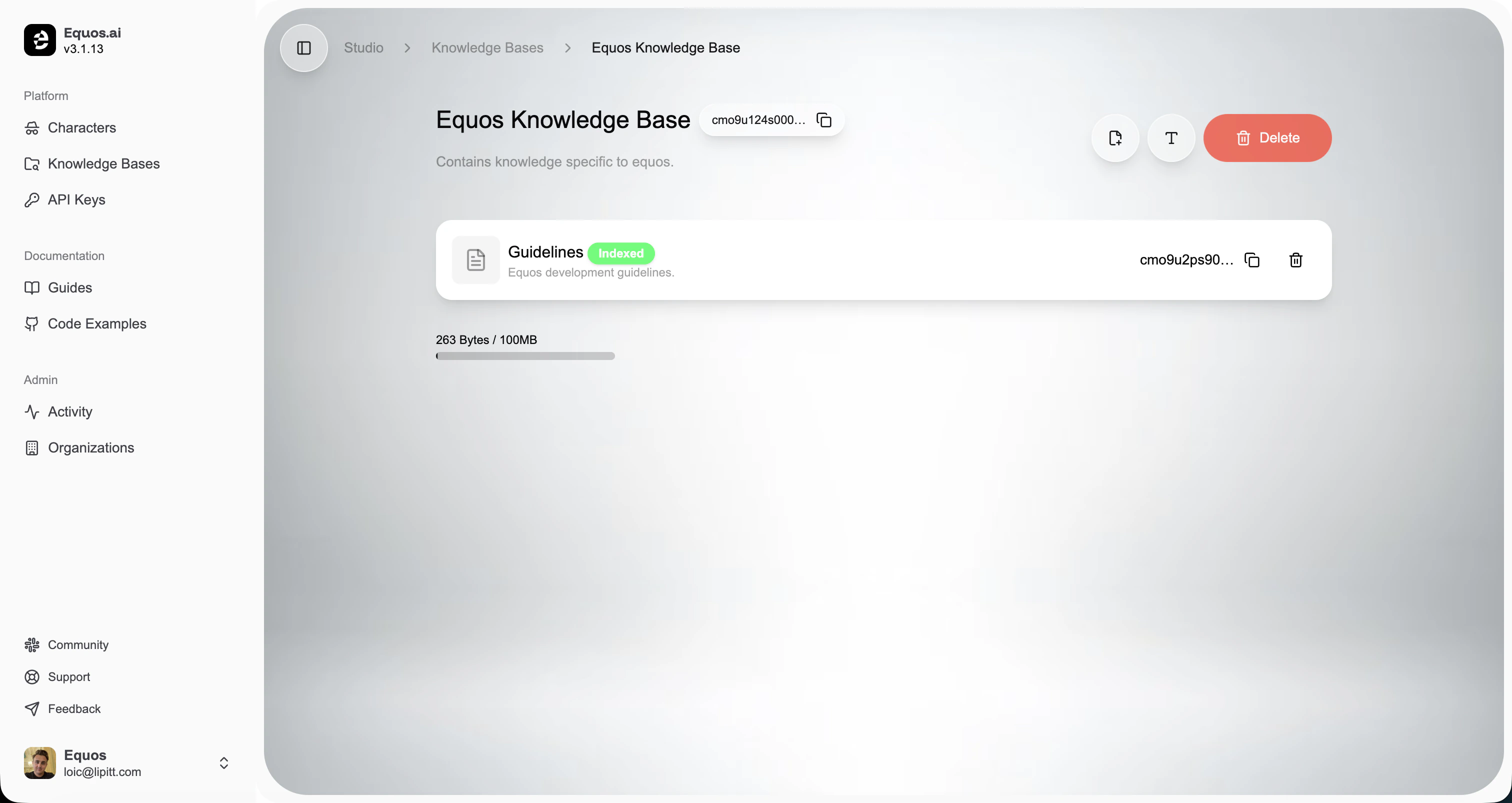
Each knowledge base can hold up to 100 MB of content. The usage bar on the page shows how much space you’ve used.
Use it with a character
Once your knowledge base is ready, attach it to any character from the Knowledge section of the character editor. From then on, the character will automatically search it during conversations.Build your character
Head back to your character and plug in your new knowledge base.