> ## Documentation Index
> Fetch the complete documentation index at: https://docs.equos.ai/llms.txt
> Use this file to discover all available pages before exploring further.
# Introduction
> This is the right place to start. On this page, you will learn about **characters** and the key concepts of running interactive AI experiences with Equos.
Create an account and chat with your first character on Equos.
## Jump right in
Chat with your custom character.
Checkout our app samples.
Build with Equos & NodeJS
Any questions? Reach out on Slack
## Characters
A **character** is a complete interactive AI persona you build on Equos.
It has a visual identity, a voice, a personality, and the knowledge and abilities it needs to hold meaningful conversations.
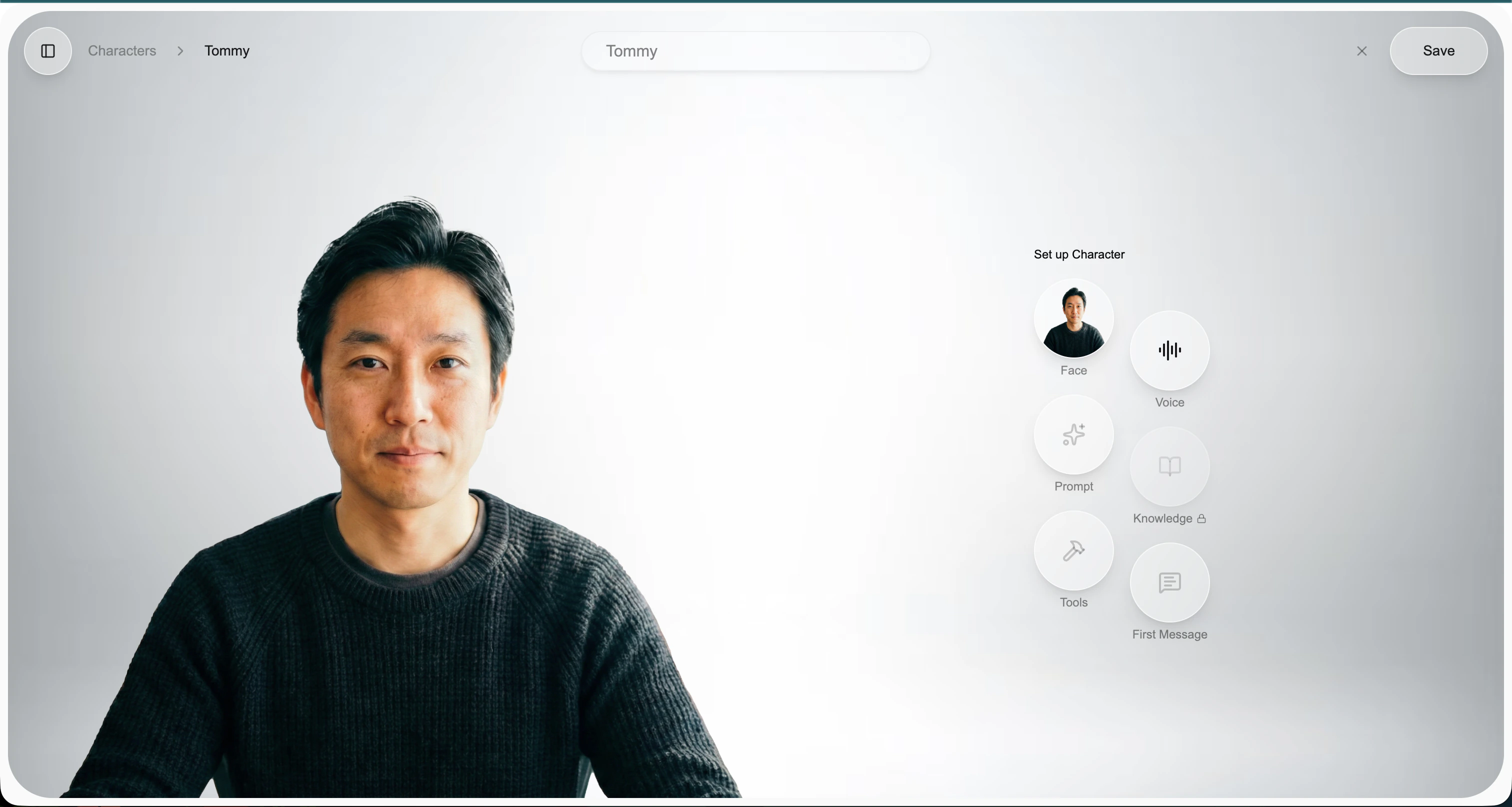 Every character is assembled from six building blocks:
The visual identity of your character. A single image—photo, painting, illustration, or AI-generated—is enough to bring it to life with accurate lip-sync and expression.
How your character sounds. Pick from a catalog of voices or bring your own via supported TTS providers.
The personality and behavior. Define tone, identity, role, and scope through instructions—your character can be a coach, a tutor, a support rep, or any persona you imagine.
A knowledge base the character can draw from (RAG). Upload documents so it can answer questions grounded in your own content.
Actions the character can take—calling APIs, looking up data, triggering workflows—so it can do things, not just talk.
The opening line your character speaks when a conversation starts. Sets the tone and guides the user into the experience.
Want inspiration? Read how companies are using Equos to build [creative, experiential live AI applications](https://www.equos.ai/blog/the-next-frontier-creative-experiential-live-ai-avatar-applications).
Talk to your first AI-powered character in minutes.
Every character is assembled from six building blocks:
The visual identity of your character. A single image—photo, painting, illustration, or AI-generated—is enough to bring it to life with accurate lip-sync and expression.
How your character sounds. Pick from a catalog of voices or bring your own via supported TTS providers.
The personality and behavior. Define tone, identity, role, and scope through instructions—your character can be a coach, a tutor, a support rep, or any persona you imagine.
A knowledge base the character can draw from (RAG). Upload documents so it can answer questions grounded in your own content.
Actions the character can take—calling APIs, looking up data, triggering workflows—so it can do things, not just talk.
The opening line your character speaks when a conversation starts. Sets the tone and guides the user into the experience.
Want inspiration? Read how companies are using Equos to build [creative, experiential live AI applications](https://www.equos.ai/blog/the-next-frontier-creative-experiential-live-ai-avatar-applications).
Talk to your first AI-powered character in minutes.